TARDIS Discovery
From TARDIS v7.1.4 you can configure the plugin to generate underground temples with abandoned TARDISes in them. This gives players an alternative and more adventure like experience in order to obtain a TARDIS.
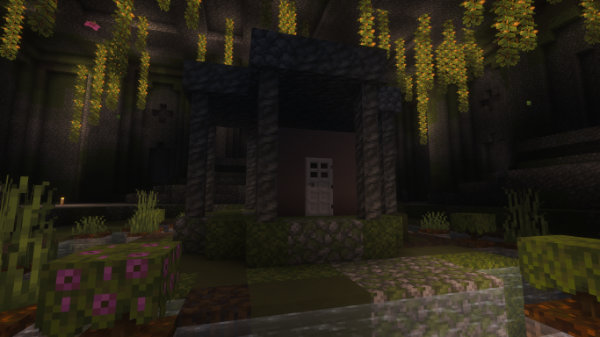
Players can either just search for the underground temples, or acquire a TARDIS Locator Map from a Cartographer, Wandering Trader or Travelling Time Lord which will function in the same way as a vanilla explorer map.
Discovery TARDISes are grown with the FACTORY exterior and a random interior, giving players a way to get an interior they may not have permission to grow from a seed block.
New TARDISes will not spawn after they have been claimed and moved. The temple is not a protected space - it is uses the same behaviour as a vanilla structure, once found/claimed/looted it will remain that way. To respawn a new TARDIS in a temple, admins can use the /tardisadmin spawn_abandoned command.
Temples
Temples are 64 x 64 block structures that are generated procedurally - the basic shape is the same but the type of block placed is semi-random. Different block palettes are used depending on the world's environment and the depth the temple is placed underground.
Overworld stone
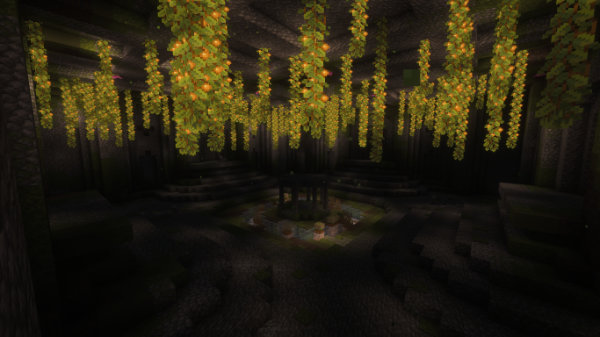
Overworld deepslate
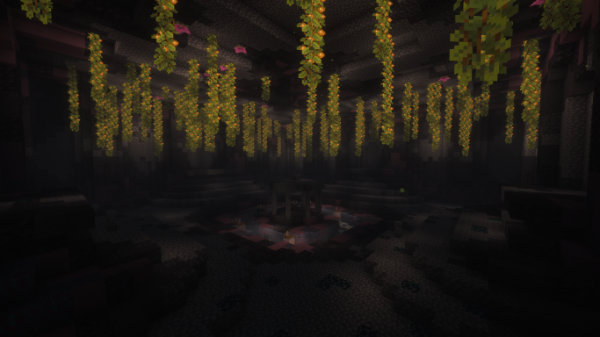
The End
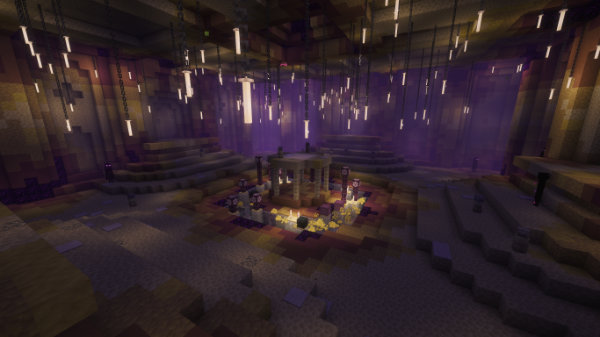
The Nether
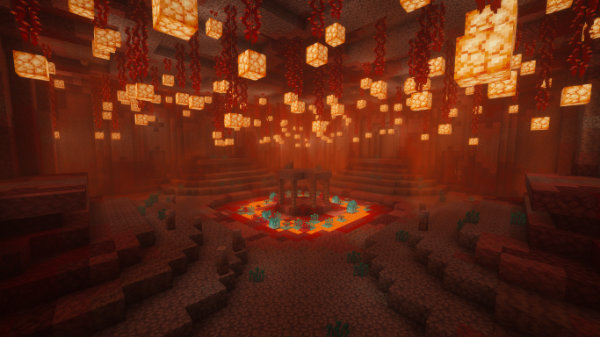
By default temples are disabled in The End and The Nether (but they look pretty cool :)
TARDIS items
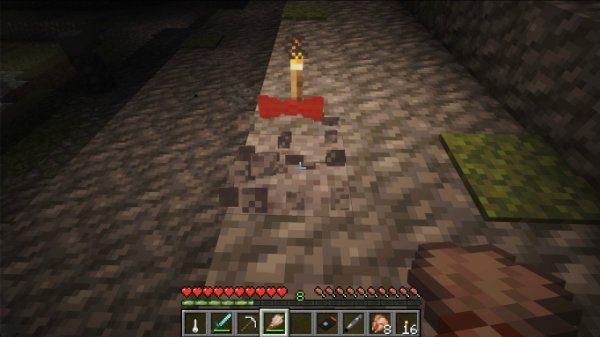
As well as providing an abandoned TARDIS to claim, the temples contain blocks of suspicious gravel or sand that can be brushed to reveal TARDIS items such as TARDIS Keys, Stattenheim Remotes, Artron Capacitors, Artron Storage Cells, Sonic Screwdrivers, 3-D Glasses, and Red Bow Ties.
Config options
creation:
  discovery:
    enabled: true
    # whether temples will generate in existing chunks
    existing_chunks: false
    # worlds not to spawn temples in
    excluded_worlds:
      - the_end
      - the_nether
      - tardis_timevortex
      - tardis_zero_room
      - caves
    # how far apart temples generate
    # spacing has to be larger than separation
    # defaults (34, 8) are similar to trail ruins
    spacing: 34
    separation: 8
    # number of lapis lazuli villager / travelling time lord requires (+ 1 compass)
    map_cost: 3
| Config | Type | Default |
|---|---|---|
creation: | ||
discovery: | ||
enabled | Boolean | true |
| Whether to generate abandoned TARDISes in underground temples. | ||
existing_chunks | Boolean | false |
| Whether temples will generate in existing chunks. | ||
excluded_worlds | List | |
| A list of worlds not to spawn temples in. | ||
spacing | Number | 34 |
| How far apart temples generate, spacing has to be larger than separation, defaults (34, 8) are similar to trail ruins. | ||
separation | Number | 8 |
map_cost | Number | 3 |
| The number of lapis lazuli cartographer, wandering trader, or time lord trader requires (+ 1 compass) | ||
Admin setup
Server administrators can generate new temple structures and populate them with abandoned TARDISes.
- Move to the coordinates in-game where you want to generate a temple. The centre of the structure will be placed 3 blocks above the player's current location.
- Run the command
/tdev fade. - Navigate your way into the temple - you may need to break some blocks - avoid digging up through the centre as you may encounter water/lava.
- Once inside the temple, target a block in the middle of the central platform.
- Run the command
/tardisadmin spawn_abandoned [SCHEMATIC] [PRESET] [DIRECTION]- see the Abandon page for more detail.