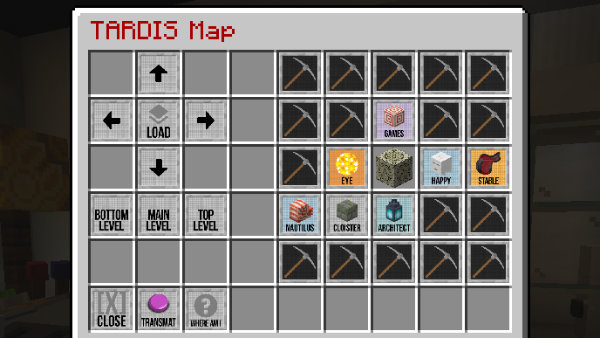
TARDIS Map
The TARDIS Map lets you find your location in the ARS grid, and transmat to rooms.
To open the map, you first need to open the Player Prefs Menu by right-clicking AIR with the sonic screwdriver. Once open click the map button in the GUI. Alternatively, click the Map button in the TARDIS Control Menu.
Using the map
The map controls work in a similar way to the ARS GUI.
- You need to load the map first by clicking the Load map button (map)
- The map can be scrolled using the Arrow direction buttons (cyan wool blocks)
- You can change levels with the Level buttons (white wool)
- You can find your current location in the grid by clicking the Where am I? button (compass)
- Selecting a room, then clicking the Transmat button (bowl) will move you to that room
- The Close button (bowl) closes the map